WordPress Hacked? Don’t Make These 4 Common Mistakes
When a WordPress site is hacked, every action matters. Discovering an intrusion often leads to panic, but acting too quickly can make things worse. A poor decision can reintroduce malware, further compromise your data, or weaken your site’s long-term security. To regain control effectively, it’s essential to follow a structured process and avoid common pitfalls.
Learn about the mistakes to avoid after a WordPress hack and how to prevent them to secure a WordPress site after an intrusion. This guide outlines best practices for handling an attack and answers key questions: What are the most common mistakes after a WordPress hack? And what steps should you take after a WordPress attack?
1. Ignoring the problem or restoring an old infected backup
When faced with a hacked site, many believe that simply restoring a WordPress site after a hack using an older backup will fix the issue. However, this approach is often ineffective and risky: restoring an old infected backup can simply reintroduce the malware, especially if the infection was present before the backup was created.
Why it’s dangerous: The hack could have spread to multiple files, folders, or even the database. A basic restoration without a thorough audit doesn’t address the root cause or newly created vulnerabilities. This leaves your site at risk of immediate reinfection or ongoing data exposure.
Best practices: Before restoring anything, it’s crucial to learn how to analyze infected WordPress files to identify the source and scope of the hack. Examine not only WordPress core files but also plugins, themes, and the database. Use specialized tools to remove malware from WordPress, like security plugins, and consider hiring a professional WordPress security audit team. Only restore from a backup that has been thoroughly analyzed and confirmed as clean.
2. Failing to change passwords and FTP/SQL access credentials
One of the most critical mistakes is neglecting to change passwords and FTP/SQL access credentials. A compromised login is often the main reason for reinfection: even after malware is removed, hackers can still access your site using stolen credentials.
The risks: If you don’t secure WordPress passwords, FTP, and SQL access quickly, attackers can reinstall backdoors, steal data, or maintain persistent access through suspicious WordPress user accounts.
Steps to take:
- Change all WordPress passwords after a hack: Immediately reset admin and user account credentials, along with FTP/SFTP and SQL access, and hosting panel logins.
- Strengthen WordPress, FTP, and SQL passwords: Use unique, complex passwords for each access point.
- Enable two-factor authentication (2FA) on WordPress: Add an extra layer of security to all sensitive accounts.
- Remove suspicious WordPress user accounts: Review all users in your dashboard and revoke any unauthorized access.
- Scan the database after a hack: Look for malicious users or code injections that may have been added.
3. Continuing with vulnerable plugins and themes
Using outdated or vulnerable plugins and themes is one of the easiest ways for attackers to exploit your site. After an attack, continuing to rely on compromised or unmaintained extensions is a major security risk.
Common issue: Some vulnerable WordPress plugins or poorly maintained themes are frequently targeted by malicious scripts. Failing to update regularly increases the risk of reinfection and leaves your site exposed to new threats.
Solutions :
- Update WordPress plugins and themes as soon as you regain control of your site. Remove any that are no longer maintained or have questionable reliability to ensure protection against vulnerabilities.
- Install a recommended WordPress security plugin to perform a deep scan. Choose proven solutions and follow expert advice to configure your security tools. Popular plugins include Wordfence Security and BlogVault WordPress for robust protection and comprehensive monitoring.
- Seek technical support for hacked WordPress sites or a professional WordPress malware cleanup service if needed.
- Consider ongoing WordPress maintenance and security by experts to prevent future issues.
4. Skipping monitoring and alerts
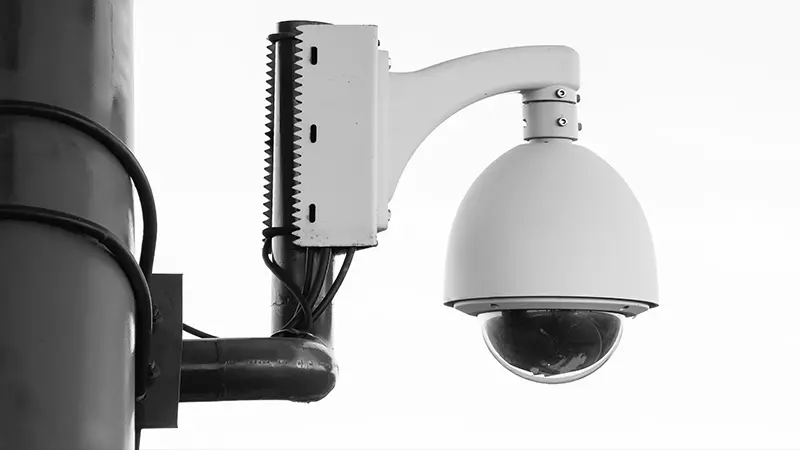
Without proper WordPress monitoring and security alerts, another attack could happen without you noticing, putting your data and visitors at risk again.
Why it’s crucial: Subtle hacks or backdoors left on your server can remain undetected for long periods without active monitoring. Implementing monitoring tools is essential to reduce the risk of data theft on your site.
How to do it:
- Install a WordPress monitoring tool: Use solutions capable of tracking file changes, detecting suspicious activity, and providing detailed logs of site actions.
- Set up WordPress security alerts: Enable real-time notifications to respond immediately to potential threats.
- Perform regular WordPress site audits with professionals to anticipate and neutralize any new risks effectively.
- Implement an external WordPress backup plan and routinely verify the validity of backups to ensure a reliable recovery option if needed.
Conclusion
Recovering from a WordPress hack requires more than just cleaning up your site. Following the right steps and avoiding these common mistakes is essential to secure your WordPress site long-term, protect sensitive data, and rebuild user trust. A proactive approach—including a WordPress security audit, installing a security plugin, enabling two-factor authentication, and ongoing expert maintenance—ensures you regain control and keep your online presence secure.
To go further, consider:
- Conducting a full and thorough WordPress security audit.
- Installing recommended WordPress security plugins and monitoring tools.
- Establishing a regular, external backup plan tailored to your site’s size and criticality.
- Hiring a WordPress security company for management, protection, and post-incident support.
Taking the right steps quickly after a hack is the best way to protect your users, data, and online reputation.
For optimal protection and a secure recovery, working with a trusted partner like SatelliteWP can make all the difference. Our team of experts specializes in maintaining, securing, and restoring hacked WordPress sites with professionalism. We provide security audits, plugin and tool implementation, continuous monitoring, and personalized support to ensure the long-term performance and safety of your online presence. Trusting your WordPress site to SatelliteWP means peace of mind and reliable support when you need it most.